Napoleon Home - Mobile Application
Napoleon EQ®Hub
Smart Thermostat
Ultimate control at your finger tips
Built with Smart Technology, the innovative Napoleon EQ®Hub Smart Thermostat is more than just a thermostat—it's the brain of Hybrid Heating.
The EQ®Hub is one of the most intelligent thermostats in the industry. It automatically switches between fuel sources using custom hybrid heating modes, determining the best time to run your equipment for maximum comfort and cost savings.


What is Napoleon Home?
Complete control over the operation of your Napoleon product is powered at your fingertips through the innovative Napoleon Home app. With the convenient use of your smart phone, easily adjust features in tune with the environment around you.
Napoleon Home Capabilities
Napoleon Home has been developed to not only recognize our differences but celebrate them. Experience ultimate customization using Napoleon Home based on your unique home comfort, desired heating or cooling mode, and carbon footprint preferences.
- Control and monitor your heating and cooling systems
- Choose your heating mode preference: Cost Savings, Comfort, Green or Nighttime
- Access your fuel usage and savings monthly or daily when in hybrid mode (Ontario only, other provinces coming soon)
Schedule
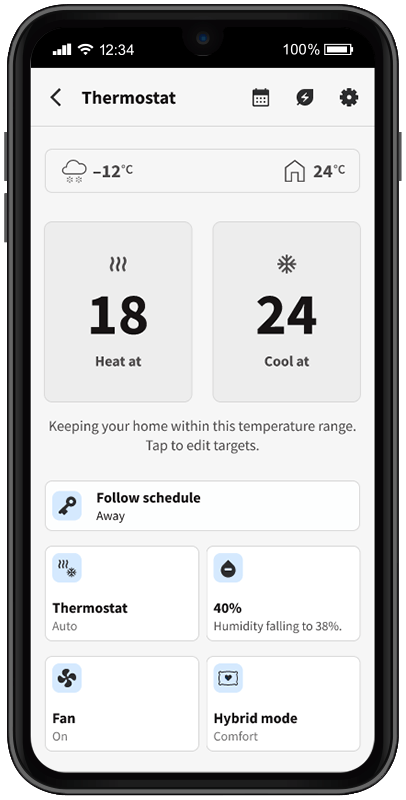
Set a schedule for the week so that you can get the right temperature at a certain time.
Settings
You can edit the app settings, such as: device name, heat source, temperature unit and geofencing.
Set Point Temperature
Increase/decrease the target temperature.
Hold Mode
Displays the current hold mode. Tap to switch.
Thermostat Mode
Displays the current system mode. Tap to switch.
Fan Mode
Displays the current fan mode. Tap to switch.
Humidity Control
Displays the current humidity level. Tap to adjust target level.
Heating Mode
Displays heating source selection. When hybrid heating is selected, options to select hybrid modes will be displayed.
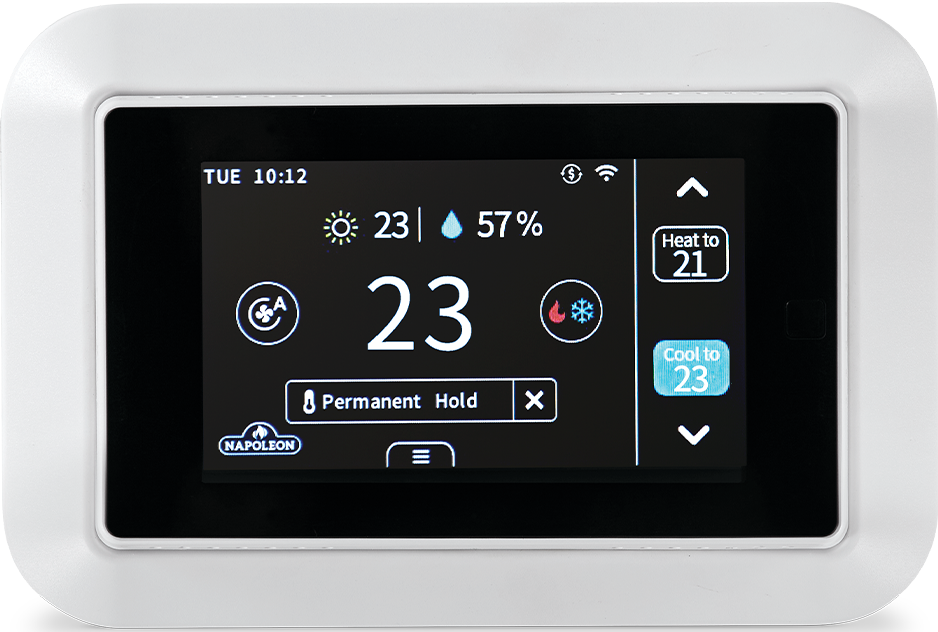
Date & Time
Hybrid Heating Indicator
Outdoor Temperature
Indoor Humidity
Fan Mode
Indoor Temperature
System Mode
Hold Mode
Increase Temperature
Set Point Temperature
Decrease Temperature
Take a closer look at the app controls
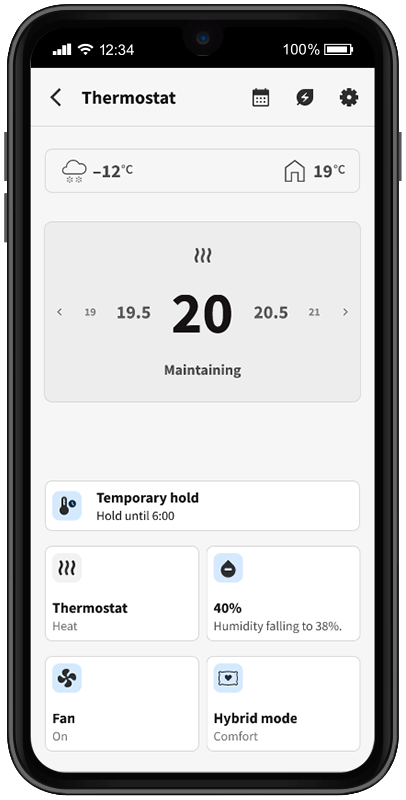
Outdoor and Indoor Temperature Indicators
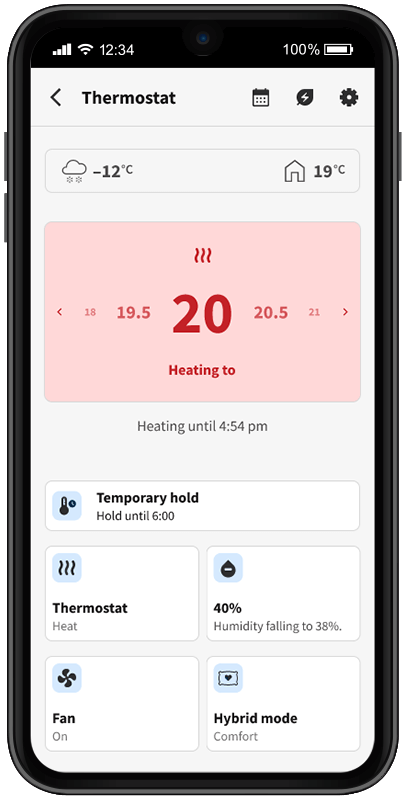
Heat Control
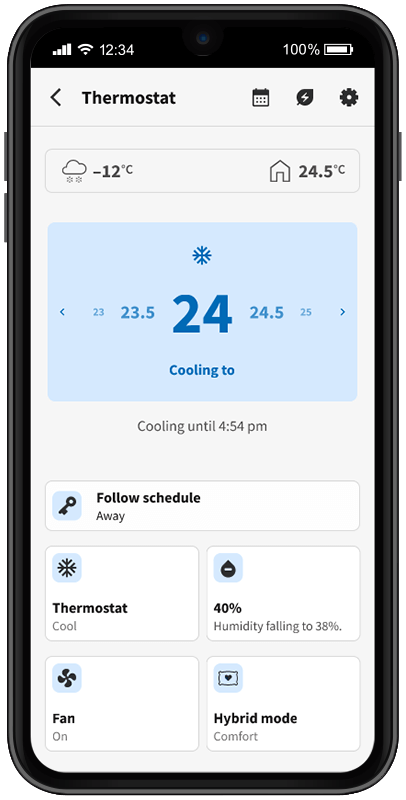
Cool Control
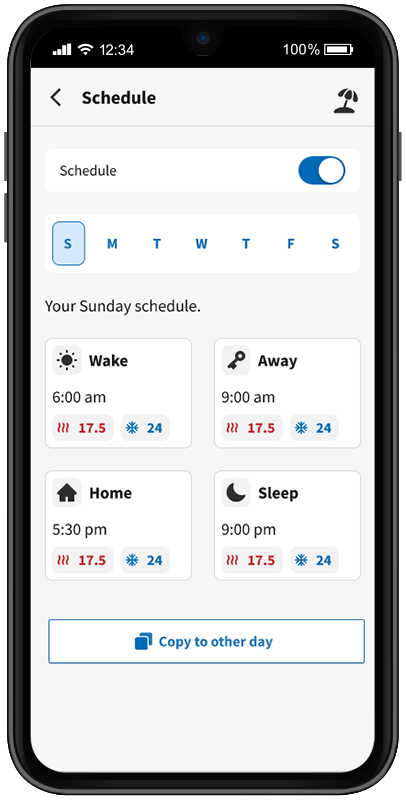
Custom Schedules
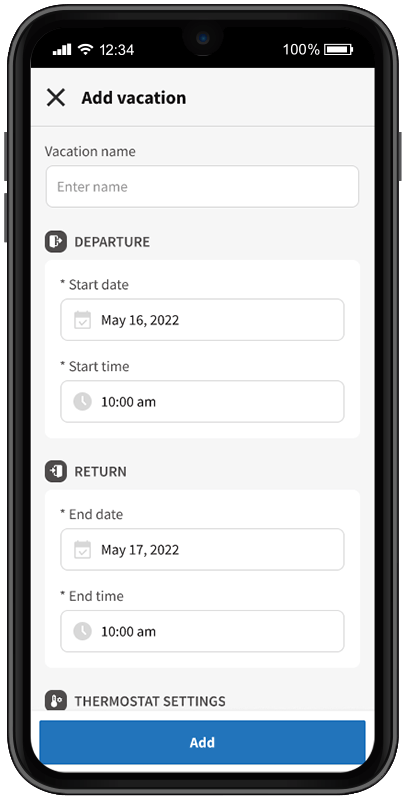
Add Vacation Schedules
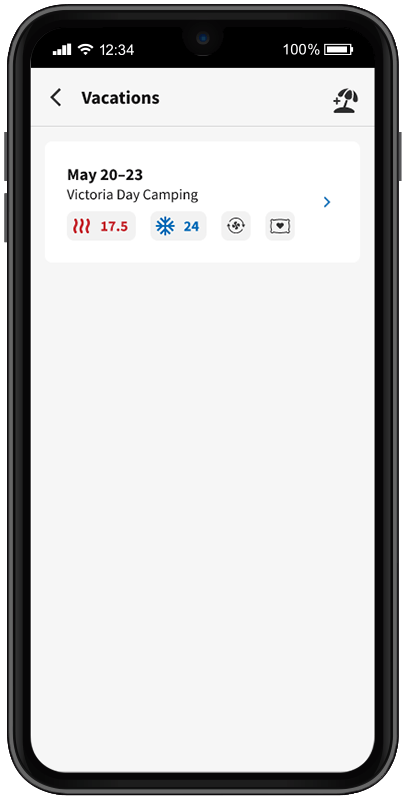
Set a schedule even when you're away!
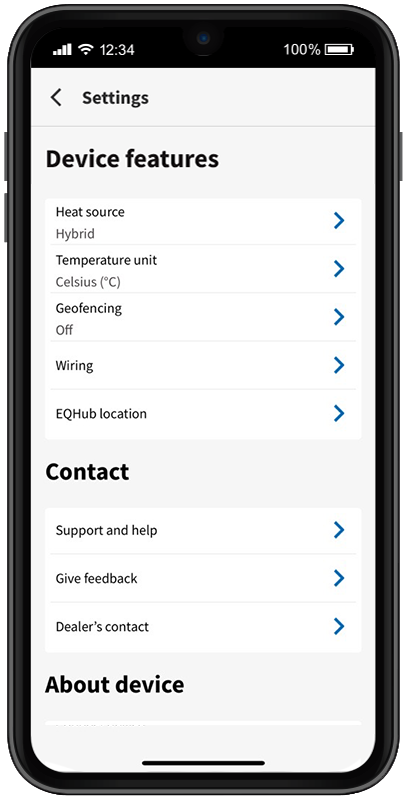
Device Settings
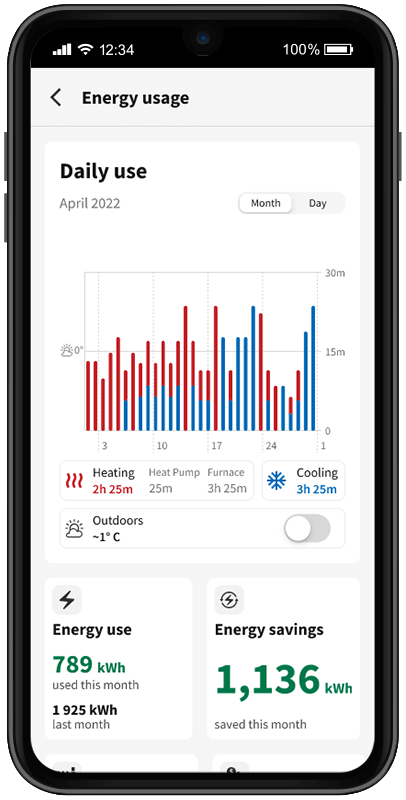
Energy Usage & Energy Savings
*Hybrid heating modes only available in Ontario, other provinces coming soon
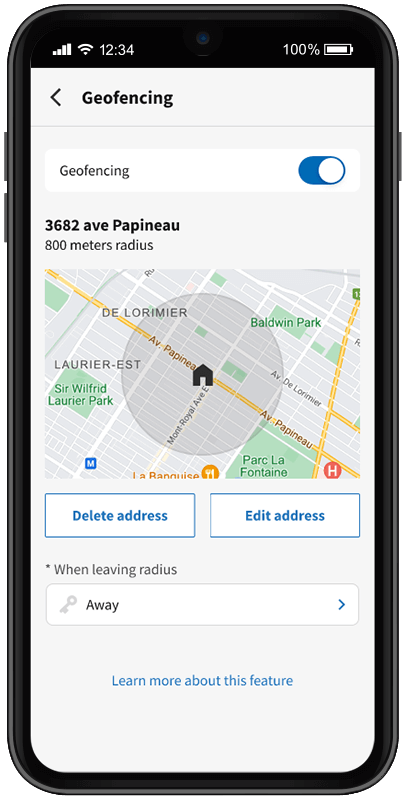
Geofencing: Customized settings when everyone's away
(Available in iOS Only)
How It Works - Dual Switch Technology
Electric Heat Pump: Efficiently heats your home during mild to moderately cold temperatures, saving energy and money.
Gas Furnace or Auxiliary Backup: Takes over during extremely cold conditions when it’s more effective at providing heat.
Napoleon EQ®Hub Smart Thermostat: Automatically switches between the heat pump and furnace based on customized switching temperature tables.
How are Switching Temperatures Determined?
Switching temperatures are specifically calculated for each home to ensure maximum comfort and efficiency. Several factors influence the switching temperatures, including:
- Equipment efficiency
- Heating requirements of the home
- Home size (square footage)
- Geographic location
- Energy rates
- Outdoor temperature at home
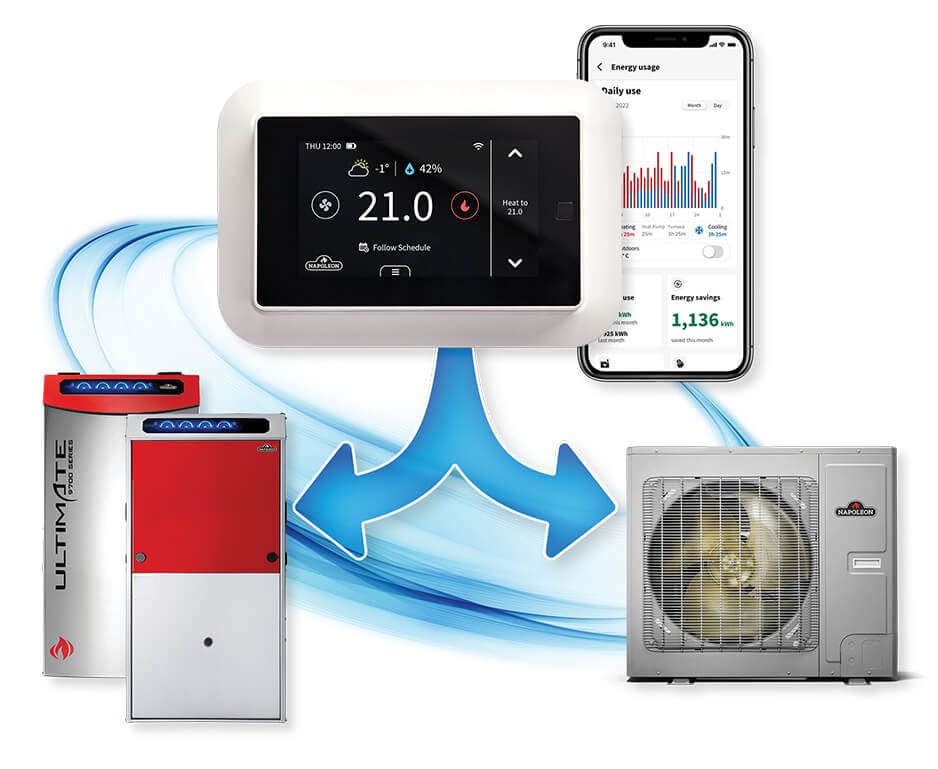
Napoleon uses a Cold Climate Heat Pump as the primary heat source until the outdoor temperatures drop too low for it to meet your heating needs alone. At this point, the system switches to the furnace or auxiliary backup. In some cases, the system can operate the heat pump and auxiliary backup simultaneously to provide sufficient heat.
The EQ®Hub Smart Thermostat continuously monitors these conditions and automatically selects the most efficient heating source based on outdoor temperatures to keep your home comfortable and energy-efficient.
Get Started
Download Napoleon Home App
Available for free on Apple App Store and Google Play.
Napoleon Home - Application Requirements
Smart Phone Requirements:
| Required Access Permissions:
|
Help Center
Our Help Center has FAQs to help support you from download to setup and product customization.